From X’s and O’s to 0’s and 1’s

AI that thinks like a coach.

Playi learns your offense the way a great coordinator learns it. One play at a time. The more you build, the sharper it gets.
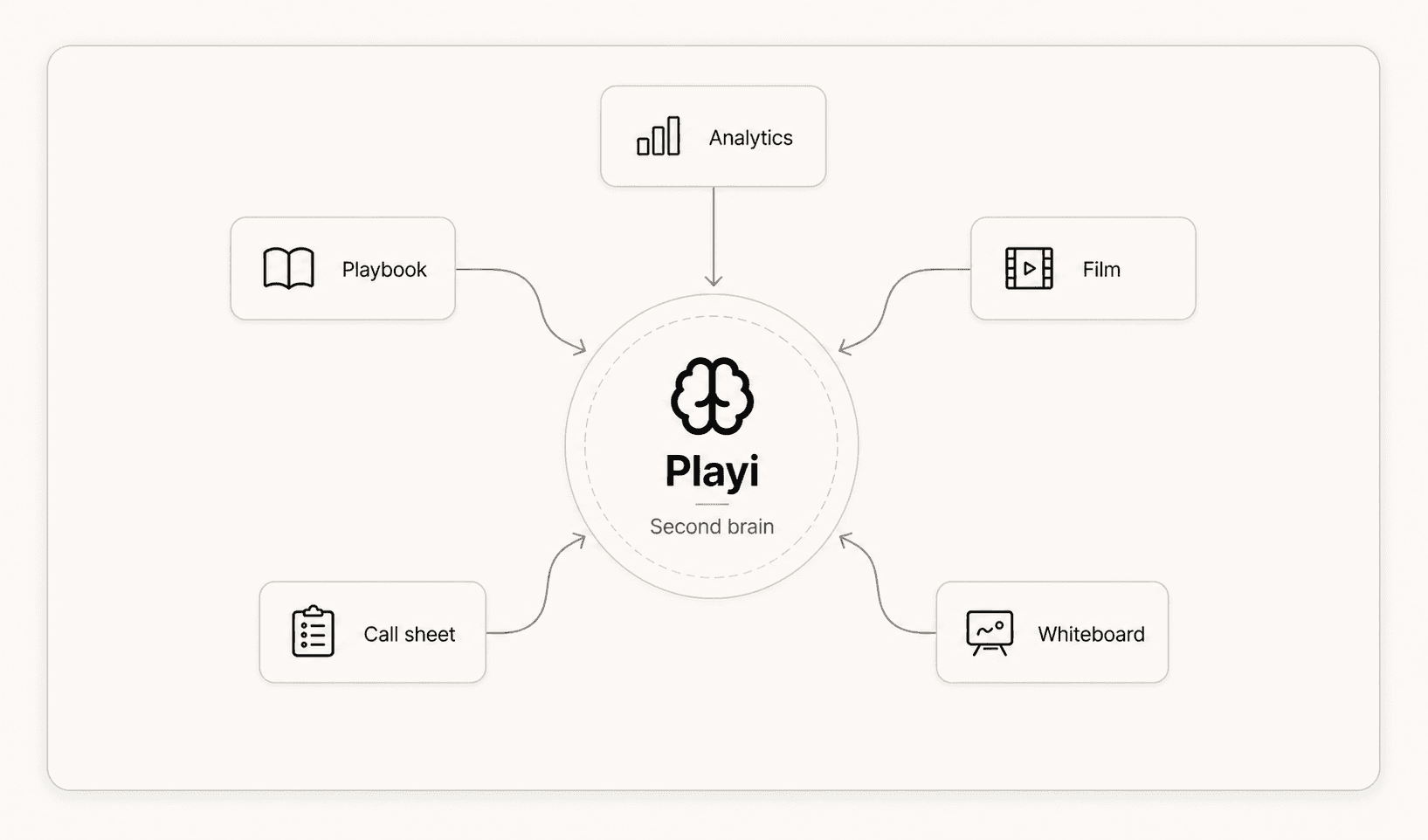
Playi second brain hub connecting playbook, film, analytics, call sheet, and whiteboard context

Your playbook,
finally understood.

Playi understands more than the diagram. It learns your terminology, formations, and tendencies. Create the play once, then connect it to every install, game plan, call sheet, and share it with every coach who needs it.

Your playbook21 plays · 4 folders
Run Game6
Inside Zone2
Gun Doubles - IZ
I-Form - IZ Lead
Gun Trips - Power R
Pistol - Counter F
Pass Game8
Gun Trips R - Mesh
Pistol - Smash Concept
Empty - 4 Verts
Red Zone4
Goal Line - Power Right
Empty - Fade Smash
2-Minute3
Gun Spread - 4 Verts
Empty - Sail

Every play adds more context.

Every play, folder, and tag gives Playi a better read on how your staff works.

The Playi playbook health card: a coverage gauge scoring the playbook, with tag coverage, defensive looks, and coaching notes broken out.

Playbook health.

A running score for tag coverage, defensive looks, and coaching notes.

Everything in one place.

Build the play once, then carry it into the artifacts your week actually needs.
Playbooks

Create, edit, organize, and share the plays your staff already runs. Search by formation, personnel, or tag.

Library

Install packets, call sheets, game plans, practice plans, wristbands, and exports, all built from the plays they came from.

Projects

Group a week, an opponent, or an install into one place, and keep the plays and assets that belong to it together.

Teach Playi your format once.

Start with a coaching template your staff already knows. Playgent keeps the format and updates the football for next week.

Google Workspace connection rolling out

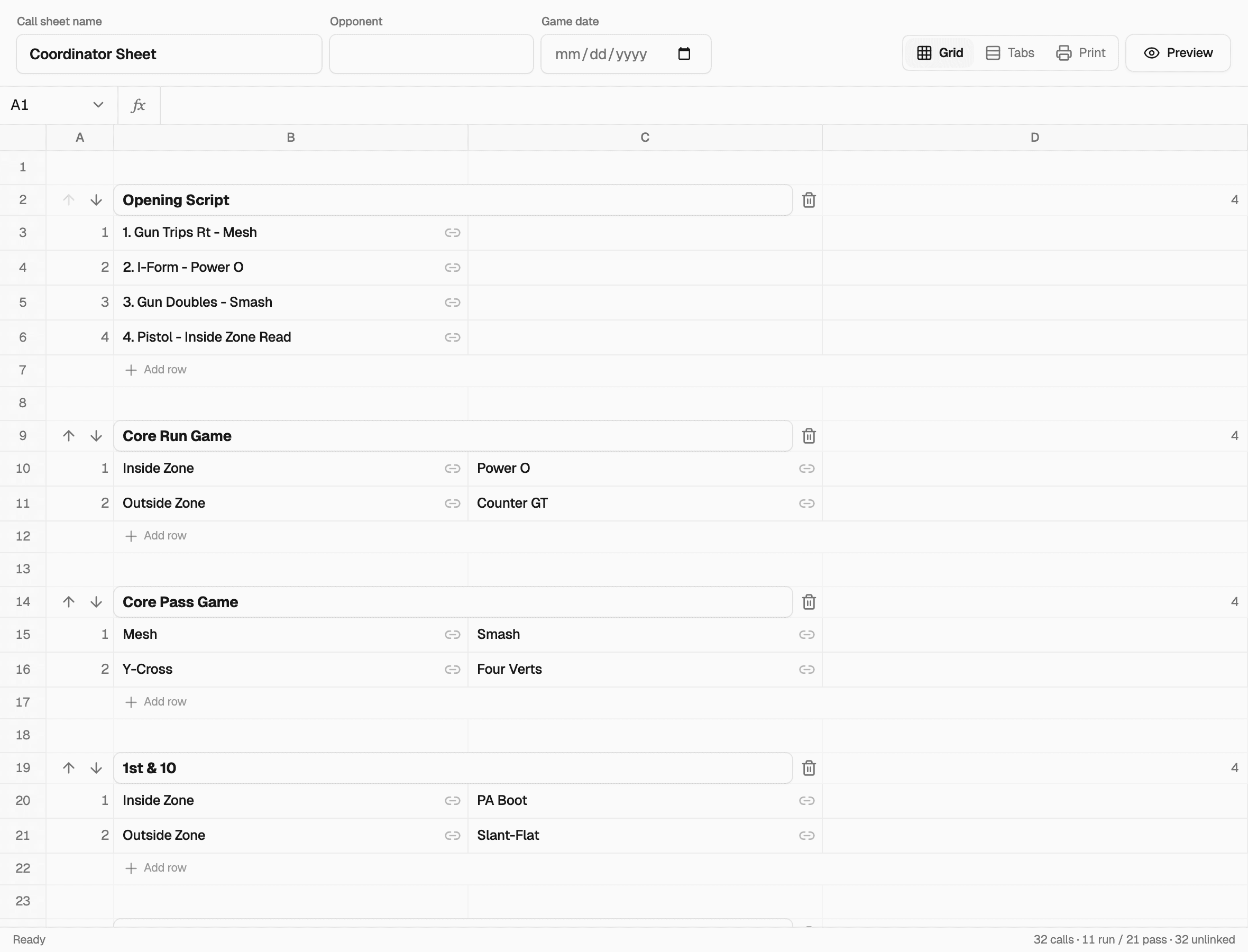
The Playi call sheet editor showing a real game-day call sheet organized by situation.

Google Sheets

Call sheets

Build the next call sheet from a proven game-day format.
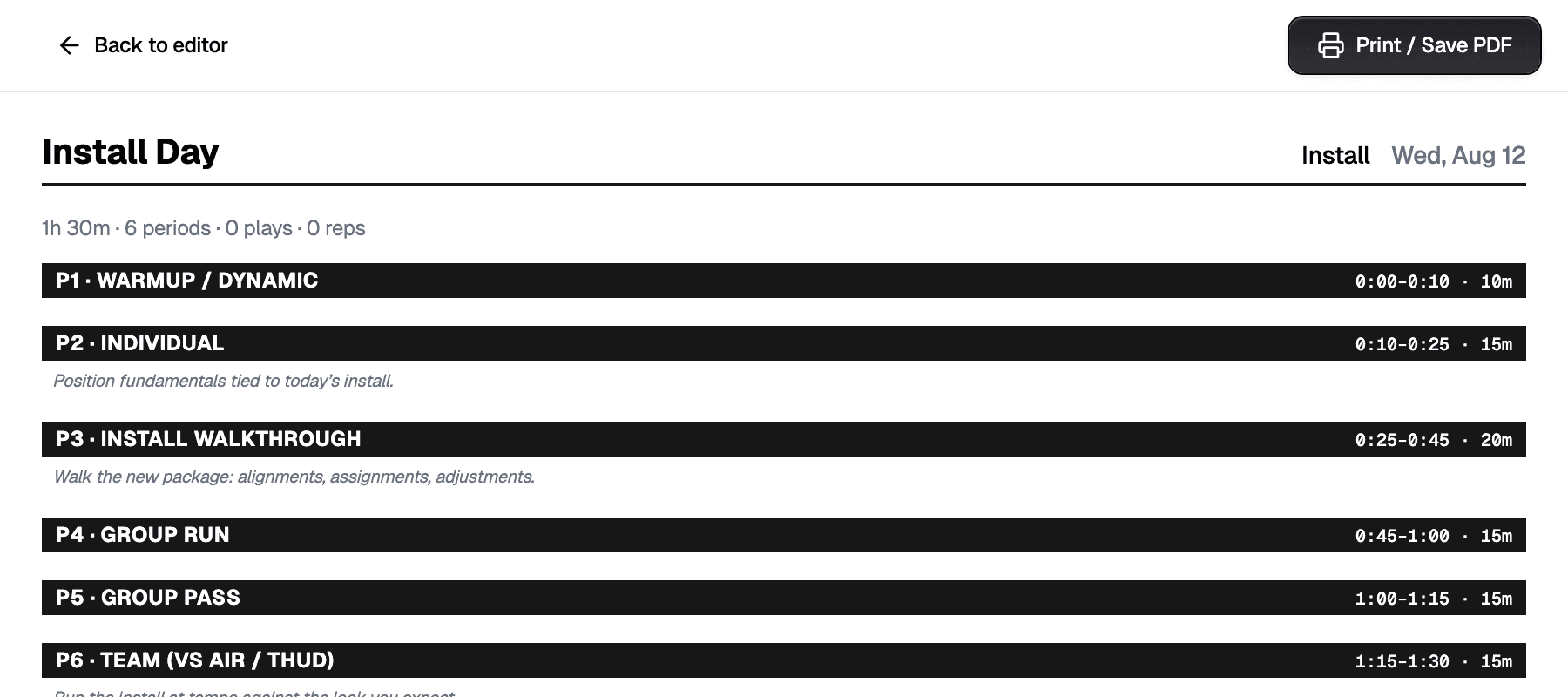
The Playi practice plan editor showing a real period-by-period coaching document.

Google Docs

Practice & game plans

Turn notes, plays, and the weekly schedule into a plan your staff recognizes.
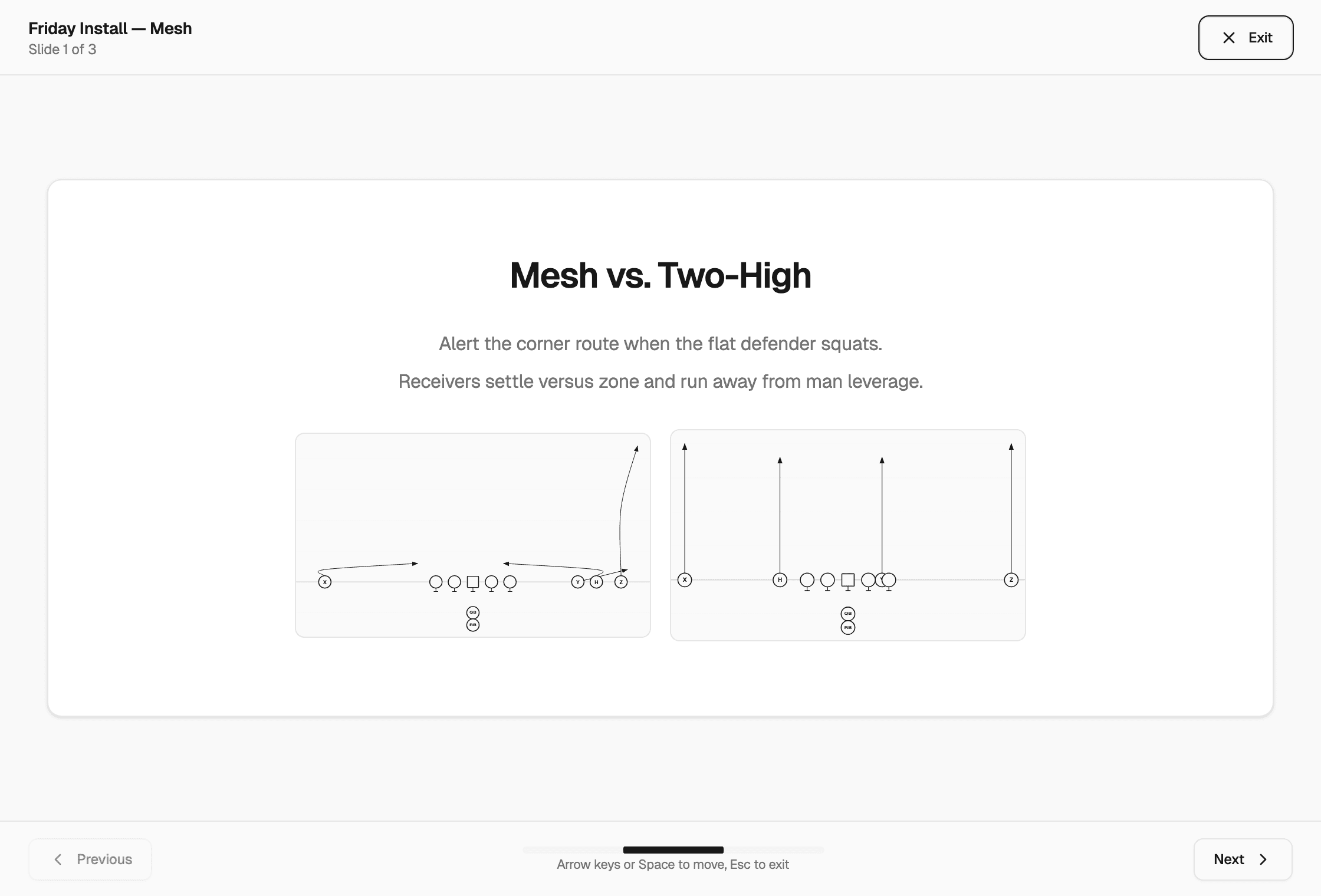
The Playi install presentation showing coaching points and linked play diagrams.

Google Slides

Install presentations

Build the next install deck with your coaching points and linked plays intact.

  1. 1Choose a template
  2. 2Tell Playgent what's new
  3. 3Review, then publish

Share it with the community.

A play does not have to stop at your staff. Send it, publish it, or start from one somebody else already drew.

The Link tab of Playi's share dialog: a Public Link field with copy and open buttons, and the note that anyone with the link can view the play.

Send a link

Share a play with a link that opens on any phone. No account, no app, no attachment for a player to lose.

The Community tab of Playi's share dialog: Post this play to Community, so coaches can review and save it, above a Post to Community button.

Publish to the community

Make a play public and it lands in the community library under your coaching handle, for any coach to find.

A play in the Playi community library: the diagram, its name and formation, the coach who posted it, its tags, and an Add to Library button.

Take one and make it yours

Save a community play straight into your playbook, or fork it open in the editor and change it to fit what you run.

The week around it.

Scheduling and notes are not a separate app. They sit with the playbook.

The Playi dashboard calendar showing a week in August with a film review meeting scheduled at 10:00 AM.

Connect your calendar.

Film sessions, installs, and game days sit next to the plays they belong to.

The Playi notepad with coaching tasks: review red zone installs completed, script third down menu and export wristbands still open.

Jot down notes.

A legal pad that lives with your playbook instead of on the desk.

From Idea toPlayPackagePlaybookgenerated

From first concept to game-week install. Playi handles every step so you stay in the film room, not the software.

  1. Generate

    Create new concepts from natural language, constraints, or opponent tendencies.

  2. Organize

    Playi auto-tags plays by concept, formation, and personnel so your library stays structured as it grows.

  3. Edit

    Tell Playgent what to change. Review the proposed edit and accept or deny. Every change is reversible.

  4. Install

    Push plays to the team via wristbands, call sheets, or shareable links players can open on any device.

  5. Share

    Send a play with one link. Anyone with the link sees the current shared play. No export or attachment required.

Get back to coaching.

Less time in the software, more time with your team.

Free foreverNo credit card requiredWorks in any browser